

Language, time zone and formats
The Regional tab of a site’s settings sets the language JungleMail 365 speaks on the site, the time zone it shows times in, how dates and numbers are written, and the language recipients see on the site’s unsubscribe and survey pages.
Before you begin
Section titled “Before you begin”- You need the Administrator role on the site, or a role with Manage Settings.
- While Inherit from global settings is on, the site uses the global settings. Turning it off switches every tab to the site’s own settings at once (Global settings and inheritance).
Change the regional settings
Section titled “Change the regional settings”Go to Settings > Settings > Regional:
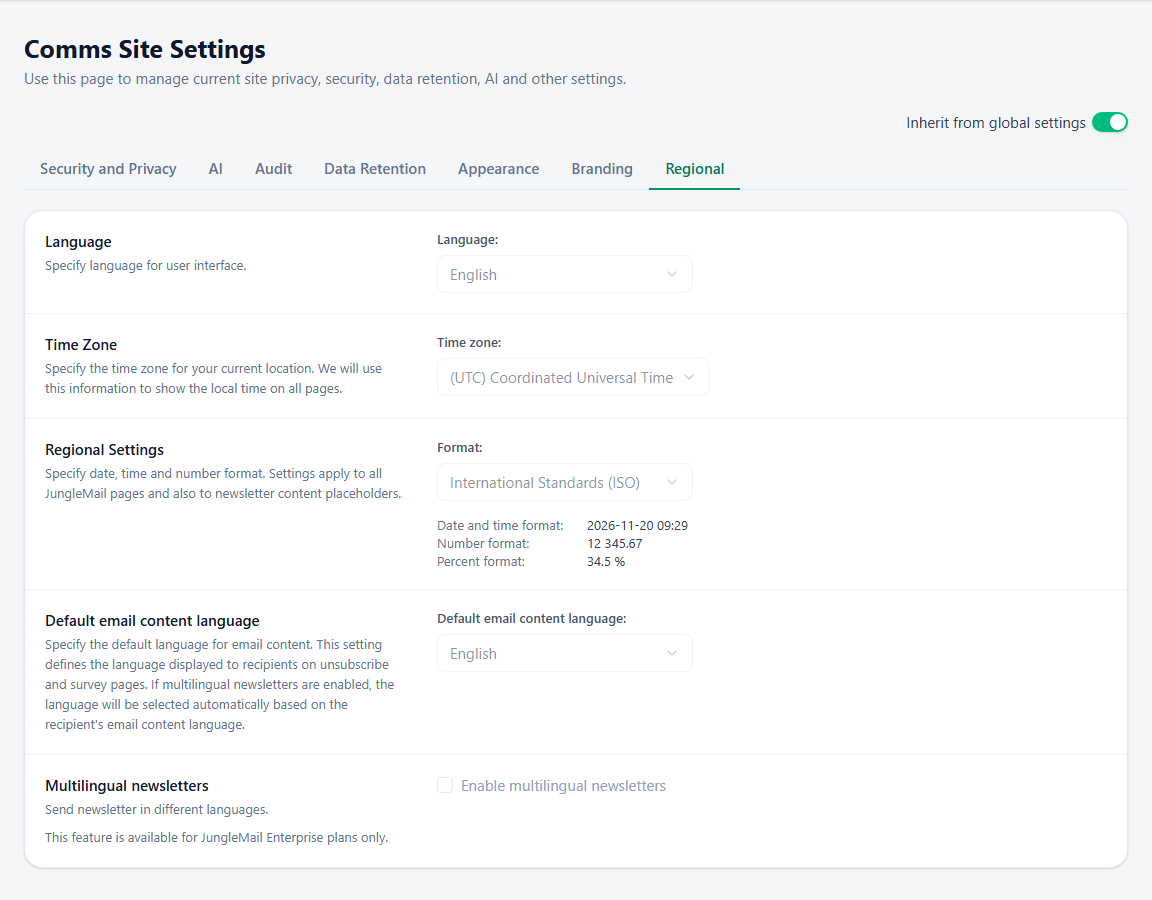
- Language: JungleMail’s own menus and pages, for everyone on the site.
- Time zone: pages show times in it, newsletters are scheduled in it unless the editor picks another, and the
functions
NowandTodayuse it. Use the zone of the people who schedule. - Format: how dates and numbers are written, including by merge tags in newsletters. For readers in several countries, choose International Standards (ISO): 2027-03-04 can’t be misread. Send yourself a test after you change it.
- Default email content language: the language of the unsubscribe and survey pages.
- Enable multilingual newsletters (Enterprise plan): one newsletter in several languages (Send a newsletter in several languages).
Then select Save.