

Monitor newsletters across all sites
The Global site’s Monitoring page lists the newsletters of every site in one place: those being sent or scheduled, and those already sent. Use it to see what your organization is sending without opening each site: before a company-wide newsletter, before a change that affects sending, and when someone asks why a newsletter is late.
Before you begin
Section titled “Before you begin”- Your organization needs the Global site, which is part of the Enterprise plan (The Global site).
- You need the Administrator or Report Viewer role on the Global site. Being a global administrator isn’t enough on its own; whoever creates the Global site is its Administrator.
Follow the newsletters
Section titled “Follow the newsletters”Choose Global site in the site switcher at the top left, and select Monitoring in its menu.
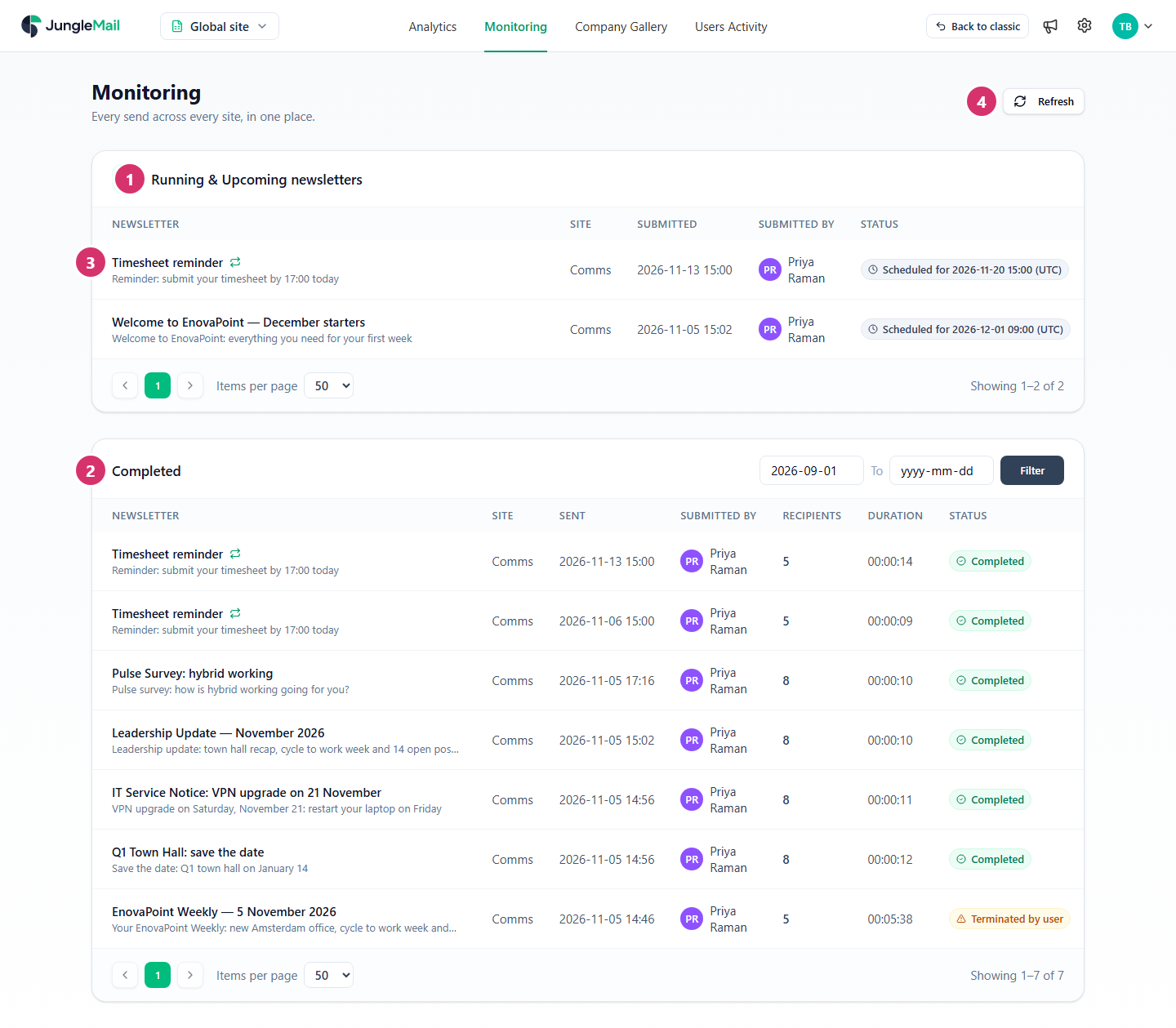
- Running & Upcoming newsletters lists every newsletter being sent or waiting for its time, with its Site, when and by whom it was submitted, and its Status, such as Scheduled for and the time, or how far sending has got. A circular arrow beside the name marks a recurring newsletter.
- Completed lists the newsletters sent since the first date: with their Site, when they were Sent, their Recipients, how long sending took, and their Status. To see another period, change the dates and select Filter.
- Select a newsletter’s name to preview it.
- Select Refresh to update both lists.
Monitoring only shows the newsletters. To pause, resume or stop one, open its site’s History & Monitoring (Monitor, pause and stop a newsletter).
The Global site’s dashboard sums up the same newsletters for the last 30 days, with the activity of each site, and its Analytics compares their results (Results across all sites).
- Look for clashes before a company-wide newsletter. Running & Upcoming newsletters shows every site’s schedule. If People & Culture has an event invitation going to All Employees on the morning EnovaPoint Weekly goes out, agree another time with that site, so that employees don’t get both at once.
- Check what is running before you change sending. A change to a global sending account or to the global settings reaches newsletters on every site. Make it when Running & Upcoming newsletters shows nothing that it would affect (Global sending accounts).
- Read how long sending took. In Completed, a large newsletter that took long to send through a Microsoft 365 sending account was probably held back by the mailbox’s limit of 30 messages a minute (Exchange Online limits). For such newsletters, a JungleMail mail server sends faster (Choose a sending account type).