

Account and billing
Your organization’s JungleMail 365 account holds its plan, what it has used of it, its payments, and the contact details EnovaPoint uses for it. To open it, select your initials at the top right and choose Company Account.
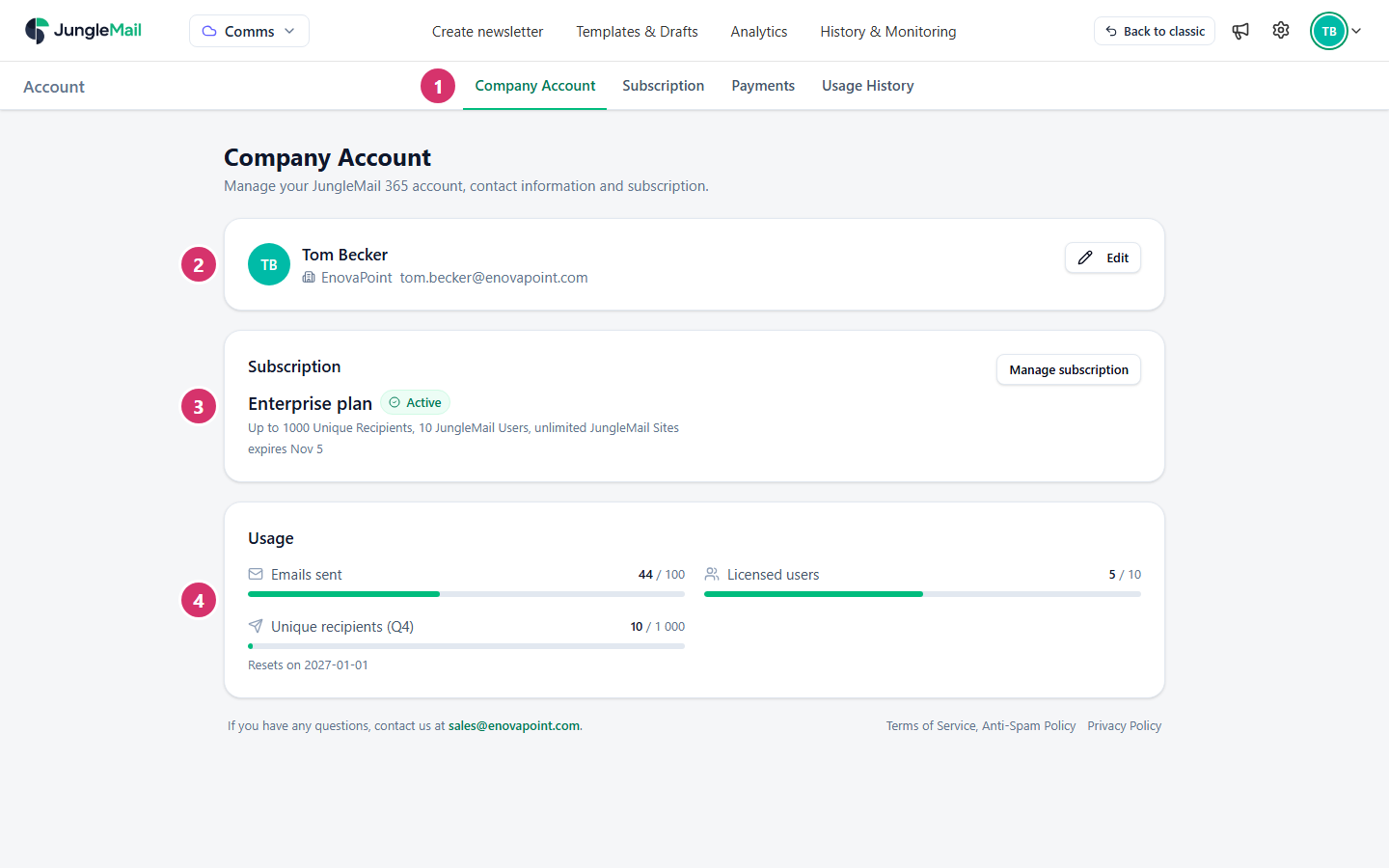
- The Account tabs: Company Account, Subscription, Payments and Usage History.
- The account owner: the person EnovaPoint contacts about your account, their company and business email address. Edit changes them.
- Subscription: your plan and its status. Manage subscription opens the Subscription tab.
- Usage: what your organization has used of its plan, such as user licenses and unique recipients this quarter.
The account pages
Section titled “The account pages”| Page | What it shows |
|---|---|
| Company Account | The account owner, your plan and your usage at a glance |
| Subscription | Your plan and its limits, your usage in detail, the plans you can order, and how you pay |
| Payments | Your payments and their invoices, and any payment still to make |
| Usage History | Each period of your subscription, with its limits and what was used |
Everyone can open Company Account. The other pages are for global administrators and for people whose permission role includes Manage Subscription (Create permission roles). Subscription and Payments appear only when your subscription is managed in JungleMail.
Where to start
Section titled “Where to start”- New to JungleMail: start a free trial, then read Plans and editions before you order. The trial has every Enterprise feature, so check that the plan you choose includes the ones your newsletters came to rely on.
- Before your first order: add the billing information and a payment card. Neither an order nor a card can be saved without a billing contact (Update your company account).
- Once you send: learn how unique recipients are counted, the measure your plan is sold by, and look at your count on Subscription after the first large newsletter of each quarter.
Plans and usage
Section titled “Plans and usage”- Plans and editions
- How unique recipients are counted
- Your subscription and usage
- When you reach your plan’s limit